






Winter registration for 3rd quarter and 2nd semester classes opens Thursday, November 19 at 6:00 a.m. A few minutes of planning now makes checkout quick on Thursday morning.
Did you know?
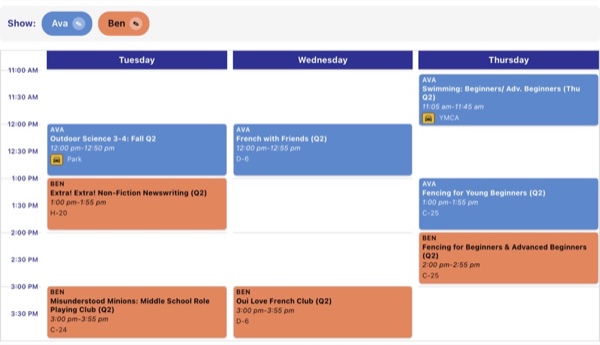
1. You can view your schedule as a weekly grid. My Schedule Grid shows your family’s current classes on a weekly calendar, color-coded, filterable and printable by child. You can also:
- Print each child’s schedule separately
- Message your current instructors
- See My Schedule Grid »
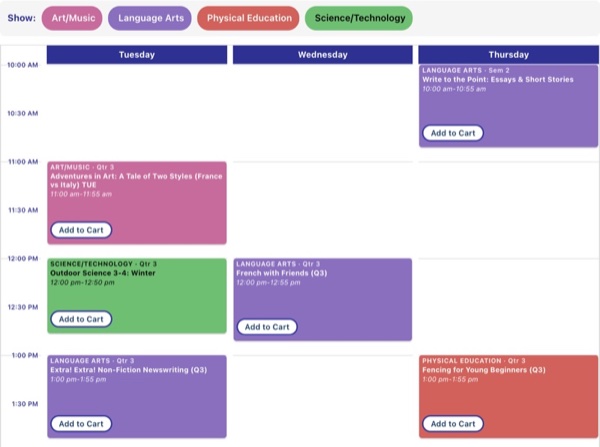
2. Your favorites can be viewed as a schedule grid. Did you know that when you “heartyour favorite classes in the main registration class list, My Favorites Grid lays them out on a weekly calendar so you can see what fits before registration opens? See My Favorites Grid »
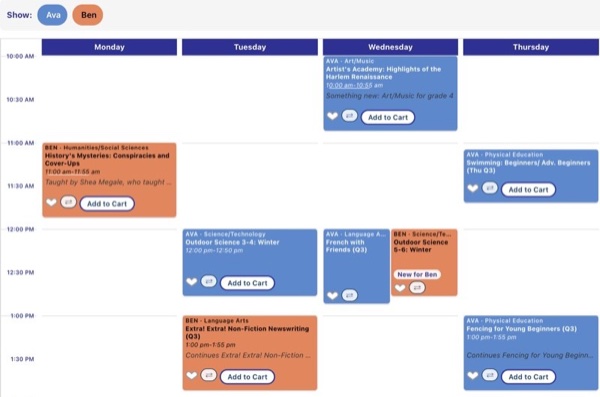
3. NEW PLANNING TOOL – Your Suggested Schedule! Planning a new term for several children can feel like a puzzle: which classes come next, which teachers your kids loved, and how it all fits into your week. To make that easier, Compass now has a My Suggested Schedule for every family, ready when you sign in. My Suggested Schedule makes suggestions for classes for each child based on your favorites, past registrations, and fun new options. You can “favorite” them, reject the suggestion, or ask to see other options in the same time slot or subject.
Before Thursday: check your suggested schedule and click the heart on your favorites. Then on Thursday morning, add them to your cart from My Favorites or from My Suggested Schedule.